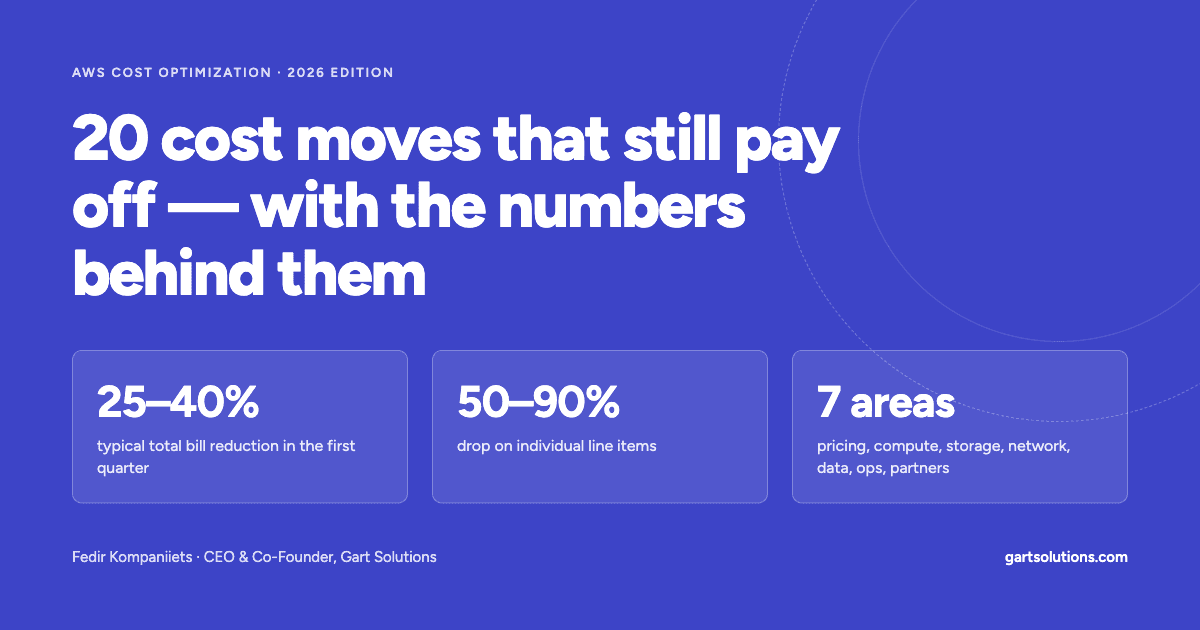
Most AWS bills I audit are not bloated because of exotic architecture mistakes. They are bloated because of a dozen boring defaults nobody revisited: on-demand pricing for steady workloads, gp2 volumes, log groups that never expire, S3 buckets with no lifecycle rules, NAT gateways carrying traffic that should never touch them. Below are 20 fixes, grouped by where the money leaks, each with a realistic savings range, a worked example, and — where it helps — the exact CLI command or config. Individual line items routinely drop 50–90%. Your total bill won't fall by the sum of those percentages, but a 25–40% reduction in the first quarter is a normal outcome.

Why "boring" wins
I spend a lot of my time on cloud cost reviews. Before touching anything, we plot every candidate optimization on a simple 2×2: effort to implement on one axis, savings potential on the other.
The pattern is remarkably stable across companies. The top-left quadrant — low effort, good savings — is almost never empty. It's usually full. Teams skip it because these changes feel too simple to matter, or because nobody owns "the bill" as a product.
This article is that quadrant, written down. I first published a version of it for the Ukrainian DevOps community; this is a rewrite for a global audience, updated for what has changed in AWS pricing since: the public IPv4 charge, Graviton5, Database Savings Plans, and the end of shared commitment discounts through resellers.
One rule before we start: measure first. Turn on Cost Explorer with resource-level granularity, activate cost allocation tags, and open Cost Optimization Hub. Every fix below should show up as a line you can watch move.

Part 1 — Stop paying list price for steady workloads
1. Cover your compute baseline with Savings Plans
Savings potential: up to 72% vs On-Demand
If an EC2, Fargate or Lambda workload has been running at a predictable floor for the last three months, paying On-Demand for that floor is a choice — usually an unexamined one.
AWS offers three compute-side Savings Plans:
- Compute Savings Plans — the most flexible. The discount follows your usage across EC2 instance families, sizes, regions, operating systems, Fargate, and Lambda. Lower ceiling (up to ~66%), but you can re-architect freely.
- EC2 Instance Savings Plans — locked to one instance family in one region (e.g.
m8gineu-central-1), any size within it. Deepest discount: up to 72%. - SageMaker Savings Plans — the same commitment model, applied to SageMaker usage.
You commit to a dollar-per-hour spend for one or three years, paid all upfront, partially upfront, or with no upfront payment.
What it looks like in practice. For an m8g.large in us-east-1 at time of writing, On-Demand is about $0.090/hour. A one-year Compute Savings Plan brings that to roughly $0.066 (~27% off); a three-year EC2 Instance Savings Plan to about $0.041 (~55% off).
How to size it without regret:
- Take the lowest hourly compute spend over the past 30–60 days — not the average.
- Commit to 70–80% of that floor. The remainder stays On-Demand or moves to Spot.
- Revisit quarterly and layer additional, smaller plans as the baseline grows.
For many companies — especially ones where a one-year plan already is the long-term plan — a one-year, no-upfront Compute Savings Plan is the right default. Less discount, almost no regret.
2. Use Reserved Instances where Savings Plans don't reach — and look at Database Savings Plans
Savings potential: up to 72% (RIs), up to 35% (Database Savings Plans)
Compute Savings Plans don't cover managed databases, caches or search clusters. Historically, that's where Reserved Instances still mattered: RDS, ElastiCache, OpenSearch and Redshift all have their own reservation models.
The newer option is Database Savings Plans, announced at re:Invent 2025. They work like Compute Savings Plans for the data layer: a one-year $/hour commitment, no upfront payment, covering Aurora, RDS, DynamoDB, ElastiCache, DocumentDB, Neptune, Keyspaces, Timestream and DMS — both provisioned and serverless usage — for up to 35% off.
Rule of thumb: if your database fleet is stable in engine and instance class, classic RDS Reserved Instances still give the deeper discount. If you expect to change engines, move to Aurora Serverless, or shift spend between DynamoDB and RDS over the year, the flexibility of a Database Savings Plan is usually worth the lower ceiling.

Part 2 — Pay for compute you actually use
3. Move to Graviton (ARM)
Savings potential: typically 20–40% on price-performance
Graviton is AWS's own ARM server CPU line. Per hour, a Graviton instance is usually cheaper than its x86 counterpart of the same size; per unit of work, the gap tends to be larger, because each vCPU is a full physical core rather than a hyperthread.
The generation that matters right now: AWS announced Graviton5 at re:Invent 2025, debuting in M9g instances with up to 25% more performance than the previous generation, 192 cores per chip and a much larger cache. Graviton4 (M8g, C8g, R8g) is the broadly available workhorse.
Where it's nearly free to switch:
- Managed services where AWS handles the binary: RDS, Aurora, ElastiCache, OpenSearch, MSK, Lambda. Often just a change of instance class or architecture flag.
- Containerized apps in interpreted or JIT languages (Python, Node.js, Java, Go, .NET 8+). Build multi-arch images and you're mostly done.
Where it takes real work: native dependencies without ARM builds, old JDKs, closed-source agents. Audit those first.
bash
# Build and push a multi-architecture image once; run it anywhere
docker buildx build --platform linux/amd64,linux/arm64 \
  -t <account>.dkr.ecr.<region>.amazonaws.com/api:1.4.2 --push .
4. Run interruptible work on Spot
Savings potential: up to 90% vs On-Demand
Spot Instances are spare EC2 capacity sold at a steep discount. The trade-off: AWS can reclaim them with a two-minute warning.
A correction to a myth I still hear regularly: Spot is no longer an auction. Since 2017, Spot prices move gradually based on long-term supply and demand, and you don't need to bid. You may set a maximum price, but by default it's capped at the On-Demand price, and you pay the current Spot price, not your maximum. At time of writing, m8g.large Spot in us-east-1 was running around 60% below On-Demand.
Good fits: CI/CD runners, batch and data processing, stateless web tiers behind a load balancer, dev/test environments, Kubernetes worker nodes for stateless pods.
Bad fits: single-instance databases, anything that can't checkpoint, long uninterruptible jobs.
Make it reliable:
- Diversify across many instance types and Availability Zones (the
price-capacity-optimizedallocation strategy). - Handle the two-minute interruption notice — drain the node, checkpoint the job.
- Keep a small On-Demand base so capacity never drops to zero.
5. On EKS, stop paying for idle nodes
Savings potential: often 30–50% of node spend in underutilized clusters
The most common EKS cost problem I see: nodes running at 20–30% utilization because nobody consolidates them after traffic drops.
There are three approaches, and the right one depends on how spiky your load is:
- Fargate profiles — you pay per pod for the vCPU and memory you request, not for whole EC2 instances. Excellent for low-volume or bursty workloads: a marketplace that spikes on weekends, internal tools, cron jobs. Pair with the Horizontal Pod Autoscaler and you pay for replicas only while they run. Less attractive for large steady fleets, where per-vCPU Fargate pricing is higher than well-packed EC2.
- Karpenter (or EKS Auto Mode, which runs Karpenter for you) — provisions right-sized nodes on demand, mixes Spot and On-Demand, and continuously consolidates underused nodes. For most medium and large clusters, this is now the default answer.
- Managed node groups with Cluster Autoscaler — still fine, but slower to consolidate and coarser in instance choice.
A minimal Karpenter NodePool that prefers Spot, allows Graviton and consolidates aggressively:
yaml
apiVersion: karpenter.sh/v1
kind: NodePool
metadata:
  name: default
spec:
  template:
    spec:
      requirements:
        - key: karpenter.sh/capacity-type
          operator: In
          values: ["spot", "on-demand"]
        - key: kubernetes.io/arch
          operator: In
          values: ["arm64", "amd64"]
      nodeClassRef:
        group: karpenter.k8s.aws
        kind: EC2NodeClass
        name: default
  disruption:
    consolidationPolicy: WhenEmptyOrUnderutilized
    consolidateAfter: 1m
Whatever you pick, set realistic resource requests. Inflated requests defeat every autoscaler.
6. Upgrade instance generations — and compare price per unit of work
Savings potential: 5–20%, sometimes more
AWS keeps several generations of each family available. Older ones are rarely cheaper per hour and are almost always worse per unit of work.
General-purpose large instances, On-Demand, us-east-1, Linux:
|
Instance |
CPU |
Generation |
$/hour |
|---|---|---|---|
|
m4.large |
Intel |
Legacy |
$0.100 |
|
m5.large |
Intel |
Previous |
$0.096 |
|
m6g.large |
Graviton2 |
Previous |
$0.077 |
|
m7g.large |
Graviton3 |
Current |
$0.0816 |
|
m8g.large |
Graviton4 |
Current |
$0.0898 |
Two lessons hide in this table. First, moving from m5 to m6g cuts the hourly price by about 20% for the same nominal size. Second, the newest generation is not the cheapest per hour — m8g costs more than m6g. It typically does more work per hour, so you may run fewer or smaller instances. Benchmark your own workload; decide on cost per request or per job, not per hour.
7. Read Compute Optimizer and Cost Optimization Hub every month
Savings potential: frequently the single largest source of quick wins
AWS Compute Optimizer analyzes utilization metrics and flags over- and under-provisioned resources: EC2 instances, Auto Scaling groups, EBS volumes, Lambda functions, ECS services on Fargate, RDS databases, and idle resources. It tells you, for example, that a Lambda function has three times the memory it ever uses, or that a Fargate task requests 2 vCPU and peaks at 0.3.
Cost Optimization Hub sits on top: it consolidates recommendations from Compute Optimizer, Savings Plans and Reserved Instance analysis, and idle-resource detection across all accounts in your organization, deduplicates them, and estimates savings in dollars.
Two practical tips:
- Enable enhanced infrastructure metrics in Compute Optimizer for production accounts. The default 14-day lookback misses monthly cycles.
- Feed memory metrics from the CloudWatch agent. Without them, EC2 rightsizing recommendations are CPU-only, and therefore cautious.
Make reviewing the hub a recurring calendar event with an owner. A recommendation nobody reads saves nothing.

Part 3 — Storage: the bill that grows quietly

8. Let S3 Intelligent-Tiering do the archiving for you
Savings potential: 40–95% on data that goes cold
Most S3 buckets are written once and read rarely after the first few weeks — logs, backups, user uploads, data lake partitions. Leaving them in S3 Standard means paying hot-storage prices for cold data.
S3 Intelligent-Tiering moves each object between access tiers based on its own access pattern, automatically and without retrieval fees:
|
Tier |
Moves there after |
Price per GB-month (us-east-1) |
|---|---|---|
|
Frequent Access |
— |
$0.023 (same as Standard) |
|
Infrequent Access |
30 days without access |
$0.0125 (~45% less) |
|
Archive Instant Access |
90 days without access |
$0.004 (~83% less) |
|
Archive / Deep Archive Access (opt-in) |
90–180+ days |
lower still, asynchronous retrieval |
If an object is accessed again, it moves back to Frequent Access. The cost is a monitoring fee of $0.0025 per 1,000 objects per month; objects smaller than 128 KB are not monitored and always billed at the Frequent Access rate.
Worked example. 100 TB in S3 Standard costs about $2,300 per month. Suppose that after a few months 20% is hot, 30% has gone 30+ days untouched, and 50% hasn't been read in 90+ days:
- 20,000 GB × $0.023 = $460
- 30,000 GB × $0.0125 = $375
- 50,000 GB × $0.004 = $200
- monitoring for 10 million objects ≈ $25
Total: about $1,060 per month — roughly 54% less, with zero application changes.
Skip it for buckets dominated by tiny objects, and for data with known, fixed lifetimes — use lifecycle rules (next item) instead.
9. Put lifecycle policies on S3 and ECR
Savings potential: depends on volume; often substantial on old accounts
Intelligent-Tiering handles unknown access patterns. Lifecycle rules handle known ones: "CI artifacts expire after 30 days", "audit logs go to Glacier Deep Archive after 90 days and are deleted after seven years".
Things people forget in S3 lifecycle rules:
- Noncurrent versions on versioned buckets. Without a rule, every overwrite keeps the old object forever.
- Incomplete multipart uploads, which are billed but invisible in a normal listing. Add
AbortIncompleteMultipartUploadafter 7 days to every bucket. - Transition costs. Each transition is billed per request, so moving millions of tiny objects to Glacier can cost more than it saves.
ECR is the same story with Docker images. Every CI build pushes a new image; nothing deletes them. A sensible default policy:
json
{
  "rules": [
    {
      "rulePriority": 1,
      "description": "Expire untagged images after 14 days",
      "selection": {
        "tagStatus": "untagged",
        "countType": "sinceImagePushed",
        "countUnit": "days",
        "countNumber": 14
      },
      "action": { "type": "expire" }
    },
    {
      "rulePriority": 2,
      "description": "Keep only the last 30 tagged images",
      "selection": {
        "tagStatus": "tagged",
        "tagPatternList": ["*"],
        "countType": "imageCountMoreThan",
        "countNumber": 30
      },
      "action": { "type": "expire" }
    }
  ]
}
10. Switch EBS volumes from gp2 to gp3
Savings potential: 20% per GB, more if you were over-provisioning for IOPS
gp3 is the current general-purpose SSD. In us-east-1 it costs $0.08 per GB-month versus $0.10 for gp2, and it ships with a 3,000 IOPS and 125 MB/s baseline regardless of size. With gp2, IOPS scale with size — so teams often provisioned 1 TB volumes just to get IOPS for a 200 GB database. With gp3, you buy size and performance separately.
Example: 5 TB of gp2 across an account costs about $500 a month; the same capacity on gp3 costs about $400. That's $100 a month for one command per volume, with no downtime:
bash
# List all gp2 volumes in the current region
aws ec2 describe-volumes \
  --filters Name=volume-type,Values=gp2 \
  --query 'Volumes[].VolumeId' --output text

# Convert one in place (online, no detach required)
aws ec2 modify-volume --volume-id vol-0123456789abcdef0 --volume-type gp3
Also update your launch templates, Terraform modules and Kubernetes StorageClasses so new volumes are gp3 by default. And while you're in there, delete unattached volumes and snapshots older than your retention policy.
11. Shrink your container images
Savings potential: modest directly; meaningful through faster scaling
Smaller images cost less in ECR storage, need less EBS on every node, transfer less data across AZs and through NAT gateways, and — the biggest effect — start faster, so autoscaling reacts sooner and you can run with less headroom.
The techniques that matter most:
- Multi-stage builds: compile in a full image, ship only the artifact.
- Minimal base images:
distroless,alpine, orscratchfor static binaries. - A real
.dockerignoreso.git,node_modulesand test data never enter the build context. - Ordered layers: rarely changing dependencies first, frequently changing source code last, so cached layers are reused.
- Fewer layers: combine package installs with
&&and clean caches in the sameRUNstep.
dockerfile
# Build stage
FROM golang:1.23 AS build
WORKDIR /src
COPY go.mod go.sum ./
RUN go mod download
COPY . .
RUN CGO_ENABLED=0 go build -o /out/api ./cmd/api

# Runtime stage: a few MB instead of ~800 MB
FROM gcr.io/distroless/static-debian12
COPY --from=build /out/api /api
ENTRYPOINT ["/api"]
Part 4 — Network: where surprises live

12. Use VPC endpoints to keep AWS traffic off the NAT gateway
Savings potential: depends on traffic; often hundreds to thousands per month
Here's a line item that shocks people the first time they find it. A private subnet reaching S3, DynamoDB, ECR or SQS goes through a NAT gateway by default, and the NAT gateway charges $0.045 per GB processed (us-east-1) on top of its hourly fee. Pulling 10 TB a month from S3 through a NAT gateway costs about $450 in processing alone — for traffic that never leaves AWS.
There are two kinds of VPC endpoint, and the difference matters:
- Gateway endpoints — for S3 and DynamoDB only. They are free: no hourly charge, no per-GB charge. If your private subnets talk to S3 or DynamoDB and you don't have these, add them today. It's a route table entry.
- Interface endpoints (AWS PrivateLink) — for almost every other service: ECR, SQS, SNS, Secrets Manager, STS, CloudWatch Logs and more. They cost about $0.01 per hour per AZ plus $0.01 per GB. That's still less than a quarter of NAT processing, and they keep traffic private.
The math for interface endpoints: each one runs about $7 per AZ per month. In a three-AZ VPC, that's around $22 a month, which breaks even against NAT processing at roughly 600 GB a month of traffic to that service. ECR image pulls on a busy EKS cluster clear that bar easily; a lightly used Secrets Manager endpoint might not.
13. Consolidate public IPv4 addresses behind load balancers
Savings potential: $3.65 per address per month, multiplied by however many you have
Since 1 February 2024, AWS charges $0.005 per hour for every public IPv4 address — attached or not, on EC2, load balancers, NAT gateways, RDS, everything. That's about $3.65 per address per month.
A hundred addresses is $365 a month, or $4,380 a year, for something that used to be free. Accounts that grew organically often have far more than they realize: one public IP per EC2 instance "for SSH", Elastic IPs left behind after a migration, public RDS instances.
What to do:
- Put services behind an Application or Network Load Balancer and remove public IPs from the instances themselves. One ALB can front dozens of services through host- and path-based routing.
- Replace SSH-over-public-IP with Systems Manager Session Manager or EC2 Instance Connect Endpoint.
- Turn off "auto-assign public IPv4" on private subnets.
- Use the free Public IP Insights in VPC IP Address Manager to inventory every public IPv4 in the account.
bash
# Find Elastic IPs that aren't associated with anything (pure waste)
aws ec2 describe-addresses \
  --query 'Addresses[?AssociationId==null].[PublicIp,AllocationId]' \
  --output table
14. Plan your move to IPv6
Savings potential: grows with the size of your public footprint
Public IPv6 addresses carry no hourly charge. For new VPCs, dual-stack is now the sensible default; for public-facing services, ALBs, NLBs and CloudFront all support IPv6 clients.
Be realistic about the scope. Some AWS services and many third-party APIs still require IPv4, so most workloads will be dual-stack for years. The near-term saving comes from item 13. IPv6 is the structural fix that stops the IPv4 bill from growing with you.
Part 5 — Databases
15. Tune RDS before you scale it up
Savings potential: frequently one or two instance sizes
AWS default parameter groups are tuned for a generic, middle-of-the-road workload. If RDS is a large share of your bill, the cheapest instance upgrade is often the one you avoid by tuning.
Where I usually find the money:
- Instance class. Memory-optimized Graviton classes (
db.r7g,db.r8g) for memory-hungry databases;db.m7g/db.m8gfor balanced loads. Moving from an older Intel class to Graviton is typically a 10–20% saving by itself. - Storage type.
gp3is now available for RDS and lets you provision IOPS separately from size. Many databases on Provisioned IOPS (io1/io2) don't actually need it — check the real IOPS in CloudWatch before paying for them. - Storage autoscaling. Set a sensible maximum and let it grow rather than over-allocating on day one. Note that it scales up only; it won't shrink storage later.
- Query and index work.
pg_stat_statementsor Performance Insights will usually show you three queries that account for most of the load. Fixing those can let you drop a size. - Aurora I/O-Optimized — if I/O charges exceed roughly a quarter of your Aurora spend, switching the cluster's storage configuration can lower the total.
- Non-production databases. Stop them out of hours, or move them to Aurora Serverless v2.
16. Put RDS Proxy in front of connection-heavy apps
Savings potential: indirect; lets you run smaller databases
RDS Proxy pools and reuses database connections instead of letting every application process or Lambda invocation open its own. It also makes failovers faster and more transparent to the application.
Picture a web app on RDS with spiky traffic — a promo campaign, a product launch. Connection storms, not queries, are what push the database over: memory fills up with connection overhead, latency climbs, and the reflex is to buy a bigger instance. RDS Proxy absorbs the spike and keeps the connection count to the database flat.
An honest note: RDS Proxy is not free. It's billed per vCPU of the underlying database. It pays for itself when it lets you avoid an instance-size increase or stops serverless functions from exhausting connections. For a monolith with a well-configured connection pool, it may add cost without saving any.
Part 6 — Observability and governance

17. Set retention on every CloudWatch log group
Savings potential: often substantial, and it compounds
New CloudWatch log groups default to "Never expire". Storage is $0.03 per GB-month — cheap per gigabyte, but it accumulates every month forever.
Ingest 1 TB of logs a month with no retention, and after a year you're storing 12 TB: about $360 a month in storage alone, and climbing. With a 30-day retention policy, you're storing roughly 1 TB — about $30.
Two more levers:
- The Infrequent Access log class halves ingestion cost ($0.25 instead of $0.50 per GB) for logs you keep for compliance or occasional investigation rather than live dashboards and alarms.
- Log less. Debug-level logging in production and health-check request logs are classic sources of ingestion spend that nobody reads.
bash
# Find log groups with no retention policy...
aws logs describe-log-groups \
  --query 'logGroups[?!retentionInDays].logGroupName' --output text

# ...and set one
aws logs put-retention-policy \
  --log-group-name /aws/lambda/my-function --retention-in-days 30
Pick retention per log type based on compliance requirements — not "never" by default.
18. Scope AWS Config to what you actually need to record
Savings potential: depends on resource churn; can be significant in Kubernetes-heavy accounts
AWS Config records configuration changes and evaluates them against rules. It's valuable for compliance and security. It's also billed per configuration item recorded and per rule evaluation — and with "record all resource types" enabled, high-churn resources generate enormous volumes of items.
The usual culprits are resources that change constantly as part of normal operation: network interfaces and security groups on autoscaling EKS nodes, for example.
What to do:
- Record the resource types your compliance framework actually requires, not everything.
- Use periodic recording (daily) instead of continuous recording for types where you don't need change-by-change history.
- Remove rules nobody acts on, and route findings that matter to SNS or Security Hub so they're actually seen.
19. Govern cost across regions and teams: tags, budgets, alerts, remediation
Savings potential: hard to put a number on — but this is what keeps the other 18 savings from eroding
Every item above is a one-off fix. This one stops the waste from coming back, especially once you run workloads in several regions and many accounts.
- Cost allocation tags. Agree on
team,environment,serviceandcost-center, enforce them with Tag Policies or SCPs, and activate them in Billing. Untagged spend is unowned spend. - AWS Budgets per team, environment or service, with alerts at 80% and 100% of forecast — not just of actuals.
- Cost Anomaly Detection. Free, ML-based, and catches the runaway NAT gateway or the forgotten GPU instance in days instead of at month-end.
- Remediation. Decide in advance what happens on an alert. Some actions are safe to automate — stopping dev instances at night, deleting unattached volumes after N days. Others need a human.
- Regional differences. The same instance can cost noticeably more in São Paulo or Tokyo than in Virginia or Ohio, and cross-region data transfer is billed on both ends. Keep chatty services in the same region, and put latency-insensitive batch work where it's cheapest.
- Cost Explorer reviewed weekly by someone who owns the number.
Part 7 — Don't do it alone
20. Work with an AWS partner — for credits and expertise, not only discounts
Savings potential: varies; the bigger value is avoided mistakes
One important update since I first wrote this list. As of 1 June 2025, AWS no longer allows Reserved Instances and Savings Plans to be shared across separate end customers within a reseller's organization. The old model — a partner buying commitments in bulk and spreading the discount across many clients — is gone. If a provider's main pitch is still "we'll get you a discount by pooling commitments", ask them how.
What partners still legitimately bring:
- Funding programs. Migration Acceleration Program (MAP) credits, proof-of-concept credits, and other partner-sourced funding can offset a meaningful part of a migration or modernization project.
- Commitment strategy. Sizing and laddering Savings Plans and Reserved Instances in your own accounts, so you get the discount without overcommitting.
- Architecture fixes. Most of the savings above aren't purchasing decisions; they're engineering changes. A team that has done them fifty times will do them faster and with fewer outages.
- Enterprise pricing. At sufficient scale, private pricing agreements negotiated directly with AWS — something partners can help you prepare for.
The return on expertise in cloud cost work is asymmetric. One misconfigured NAT path or one oversized commitment can cost more than an entire audit.
A 30-day plan, if you only have 30 days
|
Week |
Do this |
Typical effort |
|---|---|---|
|
1 |
Turn on Cost Explorer, Cost Optimization Hub, tags, budgets and anomaly detection |
Hours |
|
1 |
Add S3/DynamoDB gateway endpoints; set CloudWatch log retention; delete unattached EIPs and volumes |
Hours |
|
2 |
Convert gp2 → gp3; add S3 and ECR lifecycle policies; enable S3 Intelligent-Tiering on large buckets |
1–2 days |
|
2–3 |
Act on Compute Optimizer rightsizing; move dev/test and CI to Spot |
Days |
|
3–4 |
Pilot Graviton on one service; buy a conservative one-year Compute Savings Plan for the stable floor |
Days |
|
Ongoing |
Karpenter/consolidation on EKS, RDS tuning, IPv6, monthly cost review |
Weeks |
Conclusion
Cost optimization is never a single action. It's a set of habits plus continuous control over your infrastructure.
There is no universal recipe, either. Every change on this list trades something: commitment flexibility, interruption tolerance, engineering time. So before you pull any lever, ask the same question: what does this do to the business, not just to the bill? Saving $2,000 a month by making deployments fragile is a bad trade.
But in almost every account I've reviewed, the low-effort, high-savings quadrant was full. Start there. Most of these changes take hours, not weeks.
If you want a second pair of eyes on your AWS bill, I'm happy to talk — the Gart Solutions team runs cloud cost audits and optimization engagements. And I'd genuinely like to hear in the comments which of these moved the needle most for you, or what I missed.
Author’s note: Pricing in this article is for us-east-1, Linux, On-Demand, as of October 2026 unless stated otherwise. AWS prices change and vary by region — check the official pricing pages before you make commitment decisions.
This article was published under HackerNoon's Business Blogging program.