
With Fortnite Chapter 7 Season 4 Override coming to an end, it’s time to look back and recap everything you’ve achieved this season. To help, Epic Games launched “Fortnite Override Recap,” which shows your stats since the start of the season. That said, if you want to know how you performed, here’s how to get your Fortnite Chapter 7 Season 4 Override recap.
Despite the existence of Epic Games’ new AI launcher, which they claim is faster than Steam, to get your Fortnite Chapter 7 Override recap, you still need to visit the official Fortnite website. Once there, you need to enter your credentials to log in. If this seems all too confusing, here are the steps you can follow to get it done quickly:
- Go to the Fortnite Recap Website.
- Click on “Sign In” at the top right or “Sign In To See Your Recap” at the bottom of the screen.
- Log in using your Epic Games ID and Password (ensure you are logging in from your primary Fortnite account).
- Alternatively, you can log in using other accounts attached to Epic Games, such as Steam, Google, Disney, Apple, and more.
- After signing in, you can scroll and look at your stats across the season.
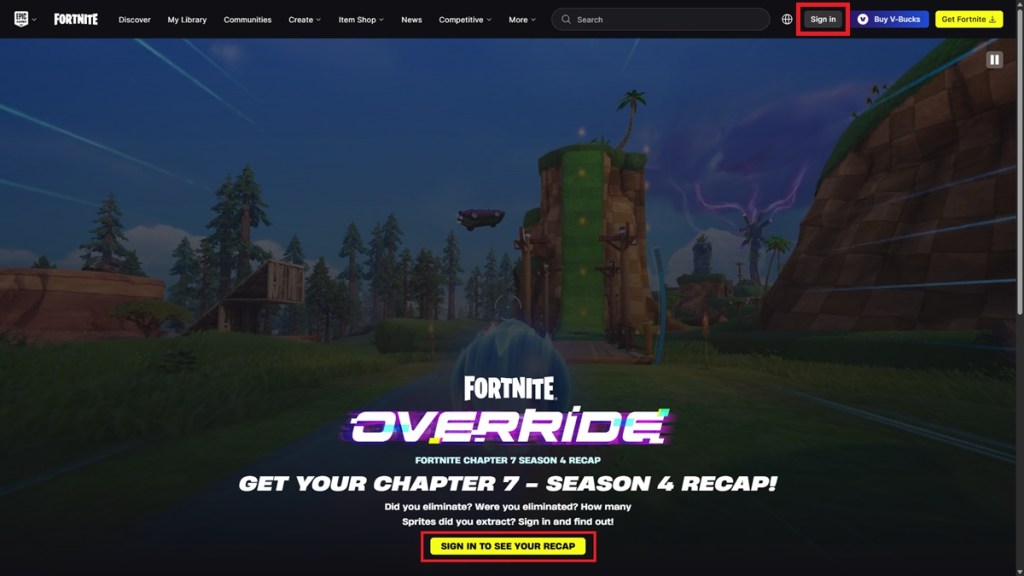
Image Credit: Epic Games 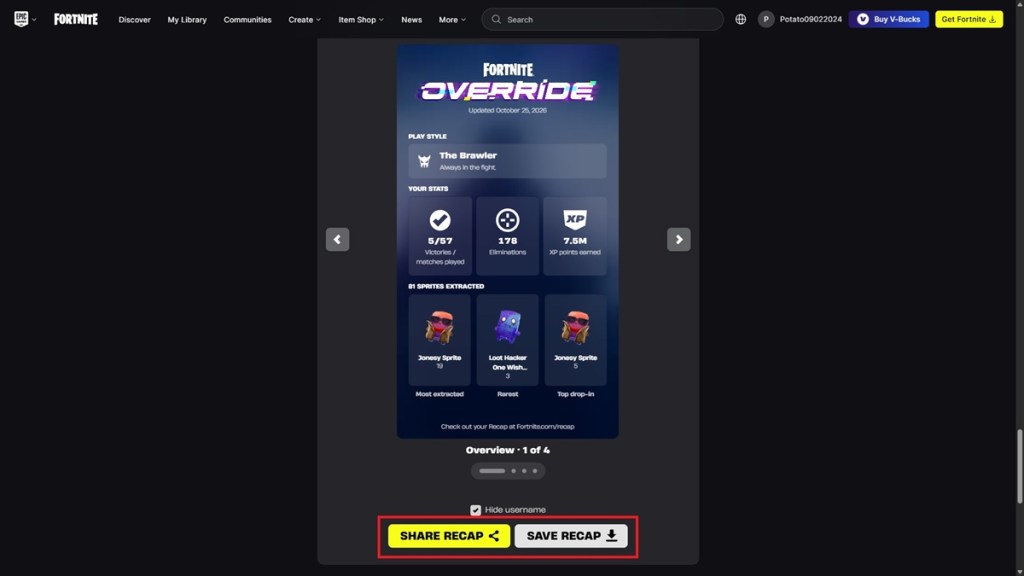
Image Credit: Epic Games
If you want to share your recap of Fortnite Chapter 7 Season 4 Override, you can scroll down to the bottom of the page, select the card you want to share, and hit the “Share Recap” option. You can also download the cards to keep them on your device to view later using the “Save Recap” option.
Fortnite Chapter 7 Season 4 Override Recap Stats Info
Much like the Fortnite Chapter 7 Season 3 Recap website, the new Override Recap lets you check stats related to gameplay, which include eliminations, total XP earned, and matches played. Here’s a list of all stats you can check out:
- Victories/Matches Played
- Eliminations
- XP Points Earned
- Favorite Drop-Zone
- Favorite Modes
- Most Extracted Sprites
- Rarest Fortnite Sprites Extracted
- Top Starting Sprites
- Your Play Style
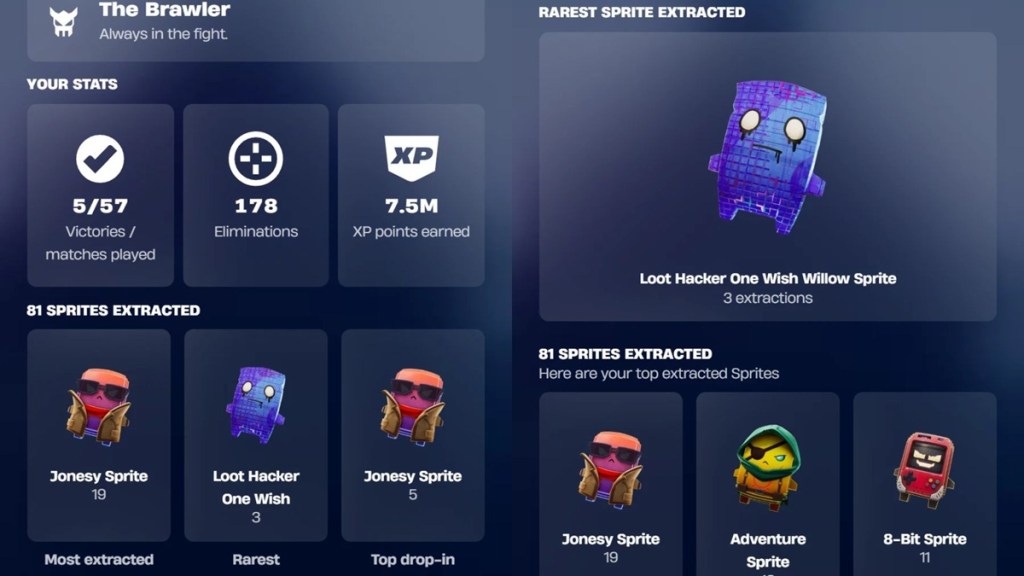
Image Credit: Epic Games 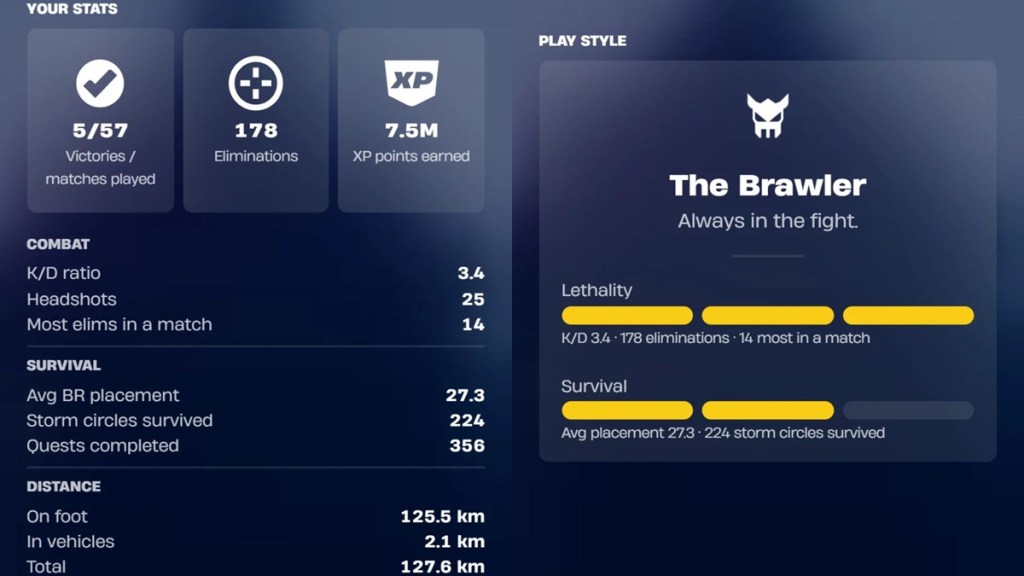
Image Credit: Epic Games
The information on the website was updated on October 25, 2026. With Fortnite Chapter 7 Season 4 Override ending later this week, it’s doubtful that Epic is going to update the recap stats again.
Even so, the current stats should give you as good an idea of how you did this season. On a side note, remember to use all Fortnite Admin Panel Lobby Hack Codes before October 31, as they expire thereafter.
That’s everything you need to know about how to get your Fortnite Chapter 7 Season 4 Override recap and share it with your friends. That said, if you have yet to complete your Sprite collection, be sure to attend upcoming Fortnite Spritemare Sprite Events to get as many as you can.
How long will the Fortnite Chapter 7 Season 4 Override recap feature be available?
The Fortnite Chapter 7 Season 4 Override recap feature should be available until October 31, 2026.
Can I share my Override recap without showing my Fortnite username?
Yes, you can share your Override recap while hiding your Fortnite username.
Can others check my stats using the Fortnite Override recap feature?
No, only you can check your stats using the Fortnite Override recap feature.
Related Articles